Every agent. Everything it can touch. Under your control.
Most AI agents in Microsoft 365 can reach far more than they need. AIRM shows what each one actually uses, then lets you limit it to exactly that, or cut its access in one action. On every Microsoft 365 licence, for every tenant you manage.
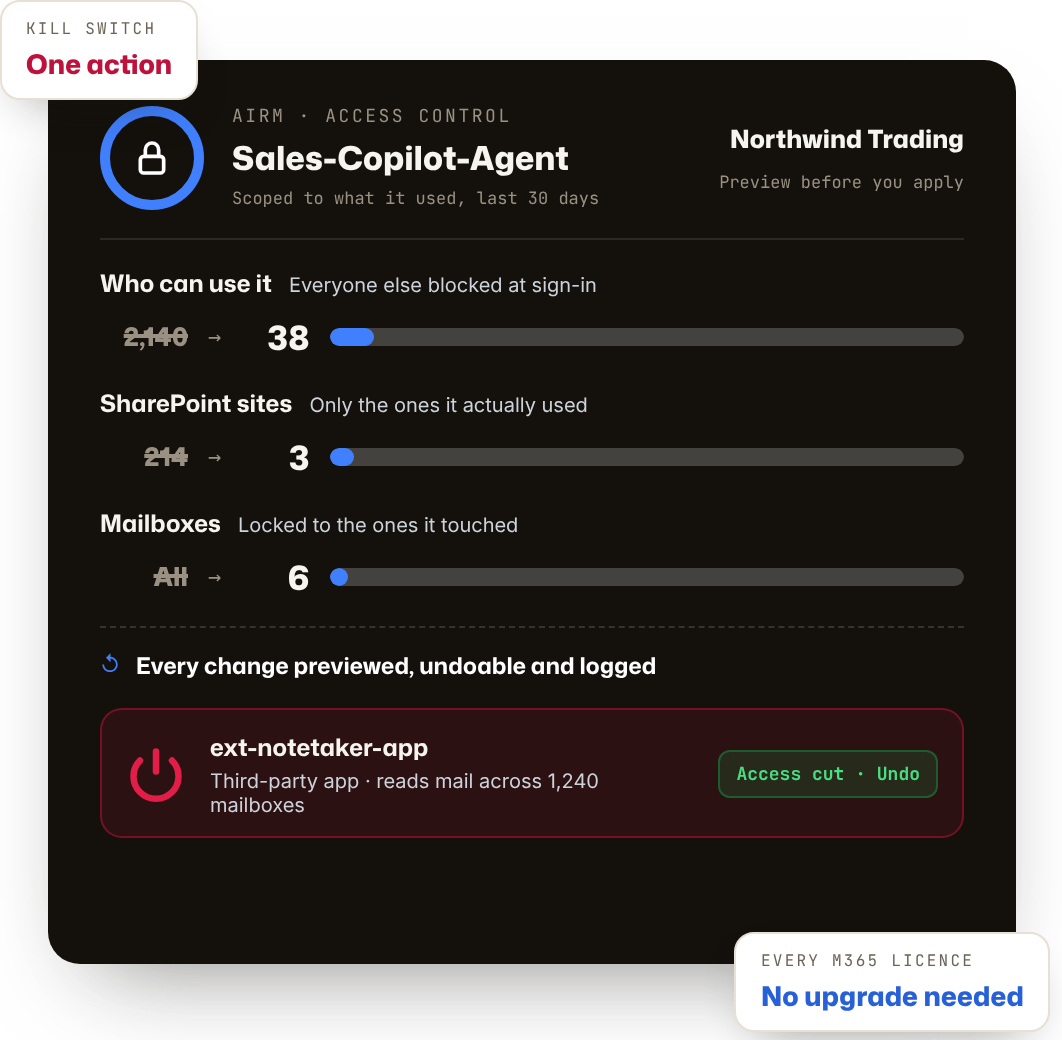
Limit every agent to what it actually needs. Or hit the Kill switch.
Most AI agents in Microsoft 365 can reach far more than they need, often every mailbox and every SharePoint site. Sabiki shows what each one actually used, then lets you limit it to exactly that, in a few clicks.
Who can use it
Limit an agent to an approved group of people. Anyone else is blocked at sign-in.
Which SharePoint sites
Swap “every site in the company” for just the sites it actually needs.
Which mailboxes
Lock it to the mailboxes it has really been touching, not the whole organisation. Sabiki shows you which ones.
Remove a permission
Revoke any permission the agent no longer needs, in plain English, not admin jargon.
Kill switch
Cut an agent’s access immediately when something looks wrong.
Owner & lifecycle
Give every agent an accountable owner and track it from creation to retirement.
You choose. Sabiki applies it. Every change is previewed, can be undone, and is logged.
Works on every Microsoft 365 licence level: no E5, E7 or Agent 365 upgrade, nothing to install. Covers third-party AI tools and older app connections, not just Microsoft’s own agents.
See it. Limit it. Or hit the Kill switch.
Access Control
Limit each agent to what it actually needs: who can use it, which SharePoint sites it can reach, and which mailboxes, locked to the ones it has really been touching. Built from evidence of real activity, not guesswork.
- Restrict who can use each agent; anyone else is blocked at sign-in
- Narrow SharePoint sites and mailboxes to what it actually used
- Remove permissions it no longer needs, in plain English
Kill switch
When an agent looks wrong, hit the Kill switch: cut its access immediately, from the same console, for any tenant you manage. Covers third-party AI tools and older app connections, not just Microsoft’s own agents.
- Cut an agent’s access in one action
- Works on every agent Sabiki finds, registered or not
- Undo restores it exactly as it was
Coming Q4 2026: rotate an agent’s credentials as part of the Kill switch.
Preview, undo & audit log
Nothing changes unless a person chooses it. Every change previews what goes and what stays, can be undone, and is logged with its before-state, evidence you can hand to an auditor.
- Preview before you apply
- One-click undo on every change
- Full change log with before-state, per tenant
Access Control & Kill switch, answered.
Can Sabiki limit what an AI agent can do?
Yes. Access Control lets you limit each agent to what it actually needs: who can use it (anyone else is blocked at sign-in), which SharePoint sites it can reach, and which mailboxes, locked to the ones it has really been touching. You can also remove any permission it no longer needs. It works on every Microsoft 365 licence level, with no E5, E7 or Agent 365 upgrade.
What does the Kill switch do?
It cuts an agent’s access immediately, from the same console, for any tenant you manage. It works on third-party AI tools and older app connections too, not just Microsoft’s own agents. Like every change in Sabiki, it is logged and can be undone.
Does it need an E5, E7 or Agent 365 licence?
No. Every control works on every Microsoft 365 licence level, with no upgrade and nothing to install.
Will Sabiki change anything without asking?
No. Nothing changes unless a person chooses it. Every change shows what goes and what stays before you apply it, can be undone in one click, and is logged with its before-state.
Does it cover agents Microsoft doesn’t list?
Yes. Sabiki finds agents by what they do and the permissions they hold, not by how they are registered, so the controls work on third-party AI tools and older app connections too.