The agents you can’t see: detecting AWS Bedrock and Google Cloud agents inside Microsoft 365.
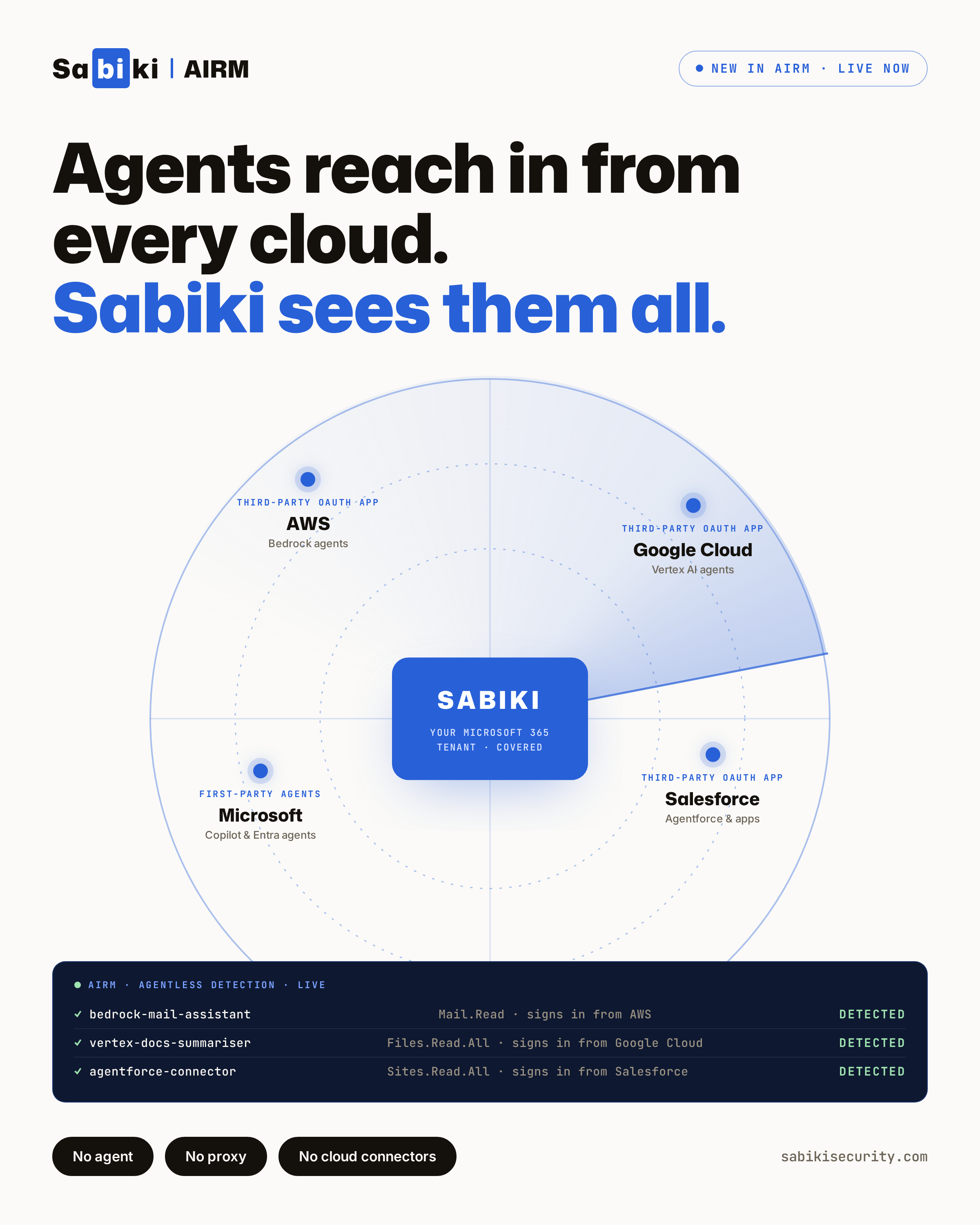
AIRM now detects AI agents built on third-party platforms, including Amazon Bedrock and Google Cloud, when they operate inside a Microsoft 365 tenant. It is live in production for every AIRM customer, with no endpoint agent to deploy, no proxy to stand up, and no connectors into AWS or Google Cloud.
This closes one of the quietest gaps in enterprise AI security. An agent built in another cloud, given an identity in your tenant and pointed at your mail, files and Teams, has until now looked like any other enterprise application. Most security stacks never see it at all.
Why these agents go invisible
A Bedrock or Vertex agent never touches your network, your endpoints or your browsers. It runs in Amazon’s or Google’s cloud, authenticates to Microsoft with an identity your tenant issued, and calls Microsoft Graph directly. The entire conversation happens between two hyperscalers, and your controls sit on neither end.
That is why every control category built for human users misses it:
- Endpoint agent / EDR watches the device. There is no device.
- Web proxy, SWG, CASB watch traffic leaving your network. The traffic leaves AWS or Google Cloud instead.
- Browser extensions and shadow-AI tools watch the user’s session. No human, no browser, no session.
- Microsoft Agent 365 governs agents Microsoft minted with an Entra Agent ID. A third-party platform agent is a plain enterprise app, out of scope.
- The unified audit log records writes, sends and sharing. Agents mostly read, and for most workloads reads are never logged.
- The enterprise app inventory lists it, named whatever the developer called it, alongside hundreds of others. Nothing marks it as an agent.
What a platform agent looks like from inside the tenant
To reach Microsoft 365, a developer building on Bedrock or Vertex has to give the agent an identity Microsoft will accept. In practice that means an app registration and a service principal in Entra ID, granted Graph permissions such as Mail.Read, Files.Read.All or Sites.Read.All, and a credential — a client secret, certificate or federated credential — that the agent presents from the other cloud.
From then on the agent is an agentic identity in your tenant. It signs in from AWS or Google IP ranges, usually with application permissions rather than on behalf of a named user, and it works at machine cadence. It can read every mailbox or site its permissions allow, and nothing in the standard admin experience distinguishes it from a backup tool, a CRM connector or a line-of-business integration.
Three things make this class of identity riskier than the average enterprise app:
- The credential lives outside your control — in a Lambda environment variable, a Secrets Manager entry or a Vertex pipeline config, owned by whoever built the agent.
- The permissions are usually broad. Agents are granted what the demo needed, not what the job needs, and tenant-wide read scopes are the norm.
- The agent takes actions. Unlike a reporting integration, it is designed to act on what it reads: send, summarise, forward, create. A prompt injection in an inbound email becomes a tenant-level problem.
How AIRM finds them
AIRM identifies third-party platform agents from the identity trail they leave inside Microsoft 365 itself, using proprietary detection built on how these agents are provisioned, authenticate and behave once connected. The detection runs on the tenant data AIRM already governs, so there is nothing to install and nothing new to consent to.
What that means for a customer or MSP:
- No endpoint agent. The detection does not depend on a device, because the agent never touches one.
- No proxy. The agent’s traffic goes from AWS or Google Cloud straight to Microsoft, and AIRM does not need to sit in that path.
- No connectors into AWS or Google Cloud. You do not hand AIRM credentials to another cloud, and you do not need to know which account the agent was built in.
- No change to licensing. It works on the Microsoft 365 licences your tenants already hold, including E3 and Business Premium.
For each agent AIRM detects, you get the originating platform, the identity it uses, the permissions it holds and the data that puts in reach, who owns it (or that nobody does), when it first appeared, and its sign-in and activity pattern inside the tenant. It lands in the same agentic-identity inventory, risk scoring and access policies that already govern Copilot agents and consented OAuth apps, so an unowned Bedrock agent with Mail.Read across the tenant can be reviewed, scoped down or blocked from the same screen.
Why this matters now
The agents arriving in tenants over the next year will not mostly be Microsoft’s. Developers reach for the model and tooling they know, and for a large share of teams that is Bedrock, Vertex or a framework hosted on one of them. Every one of those agents needs a foothold in Microsoft 365 to be useful, and every foothold is an identity.
The market’s answer so far has been to watch the human: endpoint agents, browser extensions, AI gateways. Those are the right tools for an employee pasting a document into a chatbot. They are the wrong tools for a service principal reading 2,000 mailboxes from us-east-1 at 3am, because the identity, not the person, is what bypasses them.
The count only goes one way. Every agent platform’s quickstart ends with “connect it to your email and documents”, every pilot leaves an identity behind, and nobody is counting them. By the time an organisation asks how many non-Microsoft agents can read its mail, the honest answer is usually a shrug. That question now has an answer, and it took no new infrastructure to get it.
See what is already in your tenant
The free AI Readiness Assessment shows which agentic identities, including third-party platform agents, are already operating in a Microsoft 365 tenant. It takes a single consent and no infrastructure. AIRM customers see platform-agent detections in their inventory today, with no action required.
How many non-Microsoft agents can read your mail?
Run the free AI Readiness Assessment on any Microsoft 365 tenant — agentless, under fifteen minutes — and see every agentic identity operating inside it, including agents built on AWS, Google Cloud and other platforms.
Get your free AI Readiness Score → Book 30 minutes →