BluePhishing: one click, 250 rogue agents, and how AIRM shuts them out
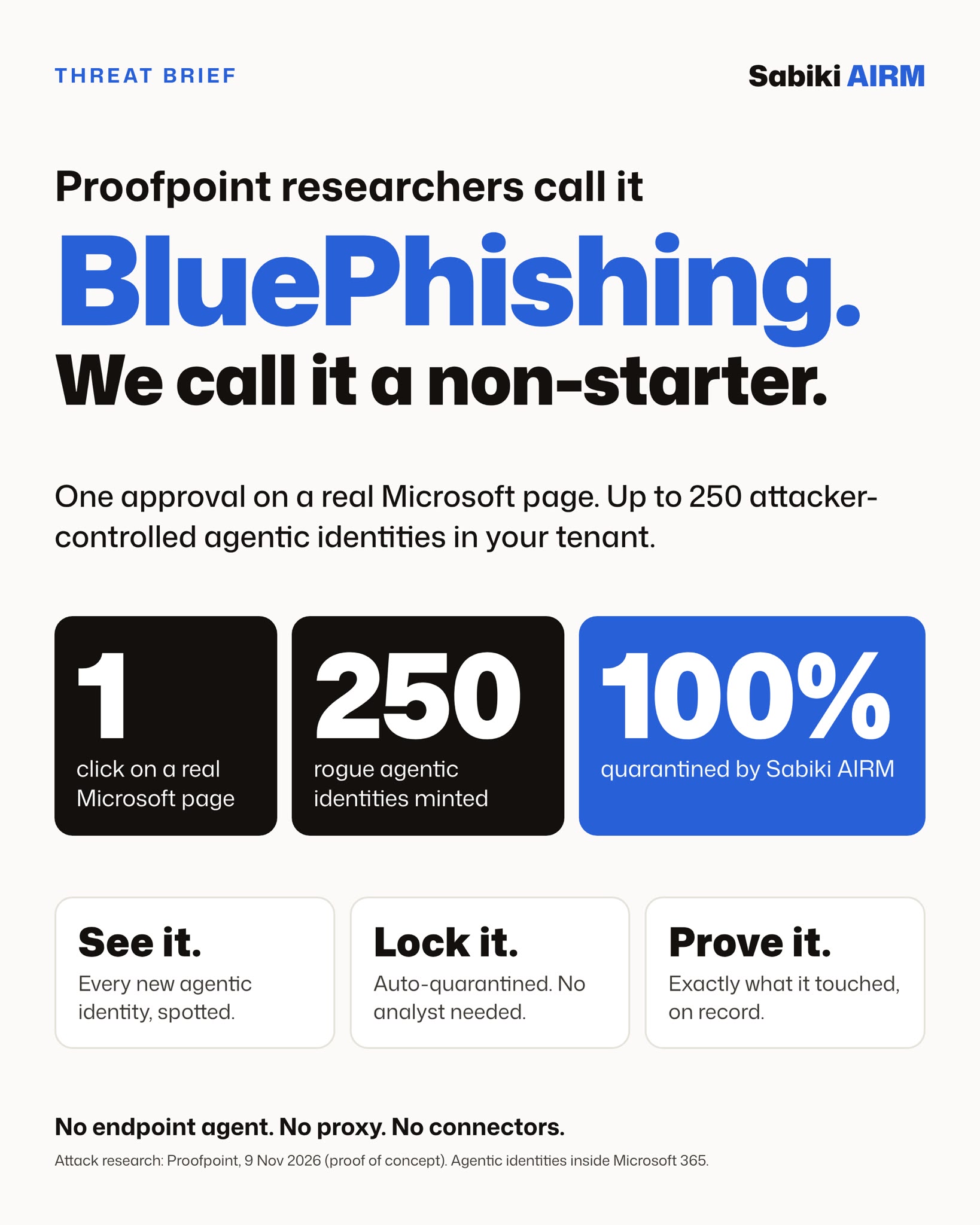
In 30 seconds
- Proofpoint disclosed BluePhishing on 9 November 2026: one approval on a genuine Microsoft page can plant up to 250 attacker-controlled agentic identities in a Microsoft 365 tenant. It is a proof of concept, not yet seen in the wild.
- Email filters, MFA, endpoint tools and CASBs all miss it, because nothing is spoofed, no password is stolen and nothing runs on a device. What it leaves behind is identity.
- Sabiki AIRM watches the identity layer continuously and, with auto-block on, quarantines every new agentic identity on arrival. All 250 get the same treatment.
A single click on a genuine Microsoft approval page can now plant up to 250 attacker-controlled agentic identities inside a Microsoft 365 tenant. Proofpoint’s threat research team disclosed the technique on 9 November 2026 and named it BluePhishing.
It is a proof of concept. Proofpoint has seen no use in the wild and told Microsoft before publishing. The timing still matters: Microsoft has announced that default Entra users can create agent blueprints from November 2026, so the building blocks are now in every tenant.
This post explains the attack, why most security stacks will not see it, and how Sabiki AIRM quarantines the attacker’s agents on arrival.
How BluePhishing works
BluePhishing is OAuth consent phishing rebuilt for Microsoft Entra Agent ID. Nothing is spoofed and no password is stolen.
- Build. The attacker creates an agent blueprint in a tenant they own, adds a client secret and opens it to other organisations.
- Aim. They collect the victim’s tenant ID and the object ID of one user. Proofpoint notes both can be found without signing in.
- Lure. They send a link by email, chat or social media. It opens a real Microsoft page asking the user to approve the blueprint.
- Approve. An admin’s approval can grant tenant-wide application permissions. A standard user can approve delegated permissions where consent policy allows.
- Multiply. The blueprint arrives holding
AgentIdentity.CreateAsManager, a permission Proofpoint found cannot be revoked. It lets the attacker mint agentic identities in the victim tenant, up to 250 per blueprint. - Use. The attacker requests tokens as those identities and calls Microsoft Graph. Proofpoint’s test read the directory with
User.Read.AllandGroup.Read.All.
Your security stack will not see this
Every control built to catch phishing is looking for something that never happens here.
- Email and web filtering see a link to a legitimate Microsoft domain.
- MFA and sign-in protection see the real user signing in normally.
- Endpoint tools see no malware, because nothing runs on the device.
- Proxies and CASBs watch user traffic. The attacker’s tokens are requested from the attacker’s own infrastructure, straight to Microsoft.
What the attack does leave behind is identity: a foreign blueprint and a set of new agentic identities sitting in Entra with approved access. If nothing in your stack is watching that layer, the attacker owns it.
One approval on a real Microsoft page. Up to 250 attacker-controlled agentic identities in your tenant.
How Sabiki AIRM covers it
AIRM watches the one place this attack cannot hide: the identity layer. It scans continuously for new agentic identities and can be set to quarantine every new one automatically. Against BluePhishing that plays out as follows.
- The approval lands. The blueprint is in the tenant. AIRM does not sit in Microsoft’s consent flow, and neither does any other third-party tool.
- AIRM sees it. Continuous scanning picks up the blueprint and every agentic identity created from it. Each is flagged as new, unowned and published from outside the organisation. No endpoint agent, proxy or connector is involved.
- AIRM quarantines it. With auto-block switched on, a new agentic identity is quarantined the moment AIRM sees it. No ticket, no analyst, no waiting for someone to notice. It stays locked until a named person approves it.
- The other 249 get the same treatment. Every identity the blueprint mints is new, so every one is quarantined on arrival.
- Evidence. Agent Identity Activity shows whether the identities touched anything, so the response starts from facts.
- Reach. Proofpoint notes the blueprint ID is the same in every tenant that approves it. Once one is confirmed malicious, AIRM can flag it across every tenant a partner manages.
BluePhishing is built for quiet, long-lived access. AIRM gives it neither.
What AIRM does not do
AIRM does not stop the click. Nothing outside Microsoft can.
- The approval still succeeds. Microsoft 365 offers no way for a third party to block an identity at the moment it is created.
- Quarantine follows detection. There is a short gap between the approval and the scan that catches it. AIRM keeps that gap as small as the platform allows.
- The lure is someone else’s job. The link arrives by email or chat, and stopping it there belongs to email security and user awareness.
That is why AIRM works best alongside tight Entra consent settings, not instead of them.
What to do this week
Three settings and one scan cover most of the exposure.
- Restrict who can approve third-party agent blueprints, and extend your user consent policy to agent blueprints and agentic identities.
- Use permission classifications so users can only approve low-risk permissions.
- Watch the Entra audit log for
Add application(a blueprint) andAdd service principal(an agentic identity). - Find out which agentic identities are already in your tenant and who owns them.
The last one is the quickest, and it is free.
About the research
The attack technique is Proofpoint threat research, disclosed 9 November 2026 as a proof of concept, with Microsoft informed before publication. AIRM behaviour is as shipped: continuous scanning, auto-quarantine of new agentic identities, and Agent Identity Activity evidence. We are not claiming a vulnerability in any Microsoft product.
The free AI Readiness Assessment shows every agentic and non-human identity in your Microsoft 365 tenant, what each can reach and which have no owner, plus over 100 checks scored 0–100. Agentless, under 15 minutes, and it works on E3 and Business Premium.
Get your free AI Readiness Assessment