Your AI agents are employees without contracts.
How a consent screen became the weakest onboarding process in the company — and what a contract for an agentic identity looks like.
Think about the last person your organisation hired. Before they touched a system, somebody wrote a job description. Somebody decided which systems they needed, and which they did not. Somebody was named as their manager. There was a start date, a probation review, and a process for when they left. None of this is exotic. It is what every company does, because the alternative — people wandering in with whatever access they ask for — is obviously unsafe.
Now think about the last AI agent that arrived in your Microsoft 365 tenant.
If you are like most organisations we scan, you don’t know when that was. Someone in marketing connected an AI assistant to their mailbox. A developer plugged an agent into SharePoint to summarise documents. An integration vendor’s connector asked for directory-wide read, and got it. Each of these created an identity in your tenant. Each one holds permissions, authenticates on its own schedule, and acts either in its own right or on behalf of whoever invokes it. And in almost every case, the entire onboarding process was one person clicking “Accept”.
The consent screen is not a hiring process
Microsoft’s consent flow was designed for a world where an application asked for access once, a human read the list, and that was that. It records who clicked, and when, for a while. It does not record why. It does not name an owner. It does not set a review date. And it does not notice when the application later asks for more, when a second credential appears on it, or when it starts authenticating from a country it has never used before.
The result, across the tenants we have assessed this year, is the same picture every time. Agents open to every licensed user, because nobody restricted them. Agents with no owner, because the person who consented left the company. Agents reaching every site and mailbox, because narrowing them was nobody’s job. Agents that have been running for months and have never been reviewed by anyone. We see rogue or over-permissioned machine identities in more than half of the tenants we scan.
Treat the agent like a hire
The fix is not a new dashboard. The industry has plenty of dashboards; Microsoft just shipped another one. The fix is to give an agentic identity the same thing a person gets on day one: a contract.
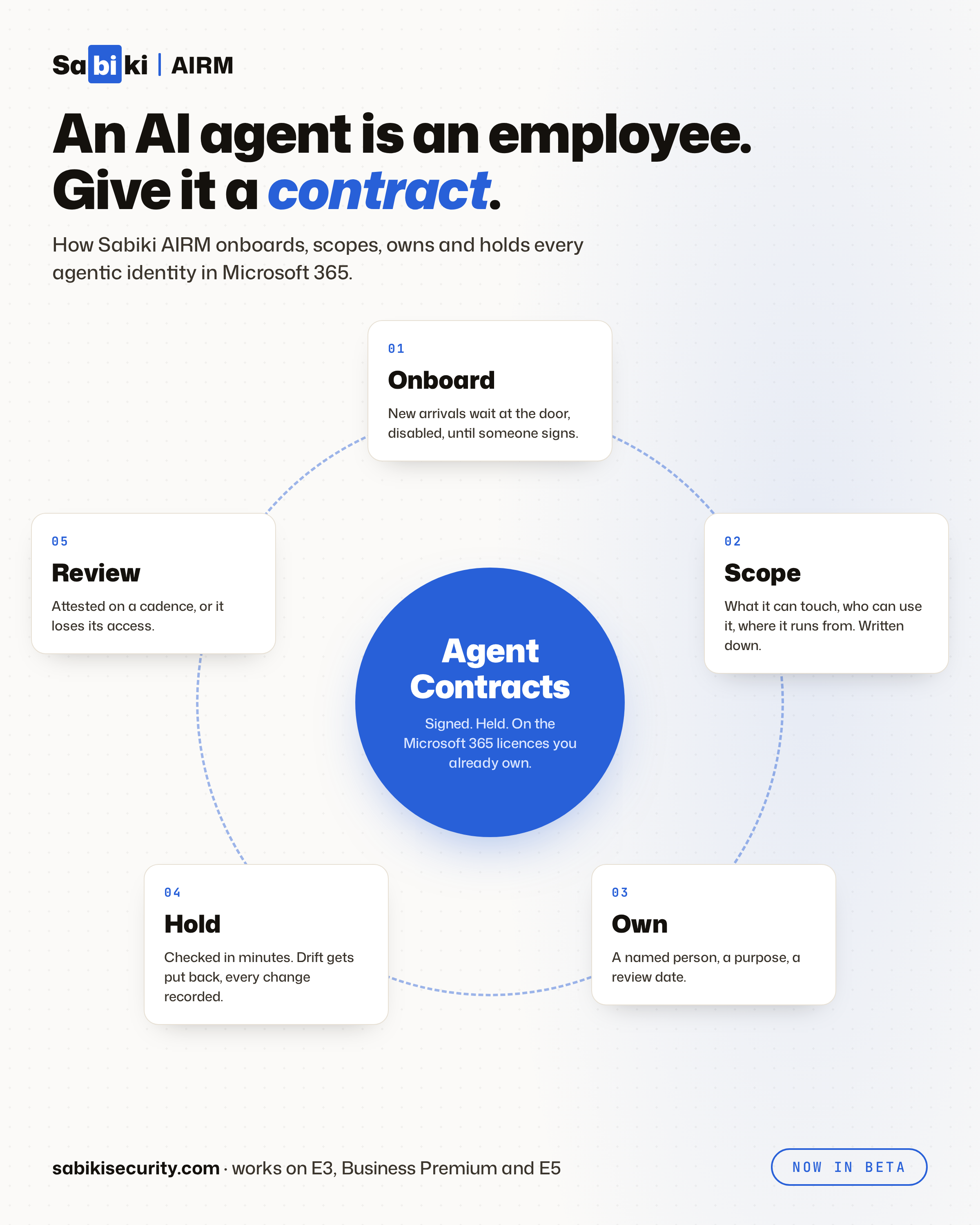
A contract for an agent answers five questions, and the answers are written down, signed, and held.
- Who can use it? For an agent that acts on behalf of a person, this is the whole question. Limiting invocation to a named group is what shrinks its reach — an agent open to all 400 licensed users reaches everything 400 people can see.
- What can it touch? The exact permissions it holds — and for agents with their own permissions, the exact sites and mailboxes. Not “whatever it asked for”. What it needs.
- How does it sign in? How many credentials, how old they may get, whether password-type secrets are allowed at all.
- Where does it run from? The countries and volumes you expect to see in its sign-in log. You cannot block an agent’s location in Microsoft 365, but you can know what normal looks like — and be told the moment it changes.
- Who owns it, and when is it reviewed? A named person. A stated purpose. A date on which someone has to say “still needed, still correct” — or the agent loses its access.
Signed is not the same as held
Plenty of governance tools let you record the answers above. Very few do anything when the answers stop being true.
A contract that is only written down is a policy document. A contract that is held is one where the tenant is re-checked against it continuously, and when the live state drifts from what was signed, the drift is put back. A new permission consented on a contracted agent is removed. A second secret is removed. Invocation that was quietly reopened to everyone is closed again. Every action is recorded with what it was before, so any of it can be reversed by a human.
In Microsoft 365 that loop runs in minutes, not real time — Microsoft does not offer change notifications for application identities, so anyone claiming instant blocking of a new consent is overstating it. But minutes is a different world from the weekly scan most tools run, and it is a different world again from never.
Onboarding, not discovery
The part of this we are most looking forward to putting in front of customers is the front door.
With default-deny switched on, a new agentic identity that appears in the tenant is disabled on arrival. It sits in a queue. Someone looks at who consented it, what it asked for, what our research knows about that publisher, and what its reach would be if approved. They apply a policy that fits its type, trim what it doesn’t need, name an owner, and sign. The agent is released, under contract, and the drift checks begin. The person who consented it sees Microsoft’s standard “disabled by your organisation” message in between; they never have to know the product exists.
That is what onboarding an employee looks like. We think it is what onboarding an agent should look like too.
The tenants Microsoft isn’t covering
Microsoft Agent 365 does something like this for agents built on Microsoft’s own platforms, with Entra Agent IDs, for customers on E7 or the Agent 365 add-on. That is real, and if you are building Copilot Studio agents at scale on E5, you should use it.
It does not cover the third-party assistant a user consented to last Tuesday. It does not cover the integration vendor’s service principal. It does not cover a legacy app registration from 2022 that still has a live secret. And it is not available to the E3 or Business Premium tenant that makes up most of the Microsoft 365 install base.
Those are the identities Agent Contracts is built for — on the licences those tenants already own.
Now in beta
Agent Contracts is in beta now in Sabiki AIRM. It builds directly on the access controls our customers already use, and adds the signature, the review cycle, the enforcement loop and the onboarding queue — and for partners managing many tenants, a policy layer, so the contract is set once per type of agent rather than once per agent.
If you manage Microsoft 365 for more than one organisation and want to see it on your own tenants, get in touch. And the free AI Readiness Assessment will tell you, today, how many agentic identities in a tenant are running without anything resembling a contract. In our experience, the answer is all of them.
How many of your agents have a contract?
Run the free AI Readiness Assessment on any Microsoft 365 tenant — agentless, under fifteen minutes — and see every agentic identity running without one. Managing multiple tenants and want Agent Contracts beta access? Book 30 minutes.
Get your free AI Readiness Score → Request beta access →